10 Genius Portable Power Station Uses for Apartment Renters (2026 Lifestyle Guide)
By UnitVerseHQ | Updated February 2026
Your apartment has six wall outlets. Two are behind furniture you haven’t moved since you unpacked. One is in the bathroom. That leaves three outlets to power your entire life — your work setup, your kitchen appliances, your entertainment, your hobbies, and your charging ecosystem.
This is the quiet frustration every apartment renter knows. And it’s exactly why portable power station uses have exploded beyond emergency backup into something far more interesting: a genuine lifestyle upgrade. In 2026, the most creative renters aren’t just using portable power stations for blackouts. They’re using them to work from their balconies, run projector setups in spaces with no outlets, power content creator rigs in natural light, and quietly cut their electricity bills through energy arbitrage.
This guide breaks down the 10 most compelling portable power station uses for apartment renters — with wattage math, gear recommendations, safety notes, and the specific stations that make each setup possible. Whether you’re exploring creative power station ideas for the first time or looking for advanced apartment power station hacks to maximize a setup you already own, this is the guide that makes it click.
Why Renters Are Rethinking Portable Power Station Uses
For most of consumer electronics history, a power station was an emergency device — something you stored in a closet, charged once, and hoped never to need. That mindset is outdated.
The new generation of portable power station uses is driven by three intersecting trends:
Apartments are power-starved by design. Building electrical planning hasn’t kept pace with modern device counts. A typical 1BR apartment was designed for maybe 8–10 devices. Modern renters run 20–40 devices. The wall outlet shortage is structural — and a portable power station solves it instantly.
LiFePO4 chemistry made indoor use genuinely safe. Earlier power stations used NMC lithium chemistry with real thermal instability risks. Today’s indoor safe battery backup units — led by EcoFlow, Bluetti, and Anker — use LiFePO4 (Lithium Iron Phosphate) cells that don’t off-gas, don’t ignite in normal failure modes, and operate safely in enclosed apartment spaces. Using power station at home is now as safe as any other large appliance.
The price dropped to lifestyle-viable. In 2022, a 1,000Wh portable power station cost $1,200+. In 2026, the same performance costs $700–$800 — a one-time purchase that fundamentally expands what your apartment can do.
Understanding these trends reframes what portable power station uses actually means: not just backup power, but architectural freedom for people who rent.
Your Essential Wattage Guide: Know Before You Buy
Before diving into specific creative power station ideas, you need to understand the watt math. This is the foundation of every smart using power station at home decision.
How to Calculate Runtime
Runtime (hours) = Station Capacity (Wh) × 0.85 ÷ Device Wattage (W)
The 0.85 accounts for inverter efficiency losses. Simple, accurate, and the number every buyer should run before purchasing.
Quick Reference Wattage Table
| Device | Typical Wattage | 300Wh Station | 500Wh Station | 1,000Wh Station |
|---|---|---|---|---|
| Projector (60W) | 60W | 4.2 hrs | 7 hrs | 14.2 hrs |
| Laptop (65W) | 65W | 3.9 hrs | 6.5 hrs | 13 hrs |
| External monitor (40W) | 40W | 6.4 hrs | 10.6 hrs | 21.2 hrs |
| Laptop + monitor | 105W | 2.4 hrs | 4 hrs | 8 hrs |
| Blender (high-speed) | 1,000W | 15 min | 25 min | 50 min |
| Nespresso machine | 1,500W | 10 min | 17 min | 34 min |
| Ring light (40W LED) | 40W | 6.4 hrs | 10.6 hrs | 21.2 hrs |
| LED panel (100W) | 100W | 2.5 hrs | 4.2 hrs | 8.5 hrs |
| Car vacuum (150W) | 150W | 1.7 hrs | 2.8 hrs | 5.7 hrs |
| Dremel / rotary tool | 175W | 1.4 hrs | 2.4 hrs | 4.9 hrs |
| Soldering iron | 50W | 5.1 hrs | 8.5 hrs | 17 hrs |
| Floor lamp (LED) | 10–15W | 17–25 hrs | 28–42 hrs | 56–85 hrs |
| Neon sign (LED) | 15–25W | 10–17 hrs | 17–28 hrs | 34–56 hrs |
| Steam Deck (charging) | 45W | 5.7 hrs | 9.4 hrs | 18.8 hrs |
| VR headset + charging | 30W | 8.5 hrs | 14.2 hrs | 28.4 hrs |
| Grow light (small) | 20–50W | 5–12 hrs | 8.5–21 hrs | 17–42 hrs |
| Water pump (small) | 15–30W | 8.5–17 hrs | 14–28 hrs | 28–56 hrs |
| Standing desk setup | 200W | 1.3 hrs | 2.1 hrs | 4.2 hrs |
This table is your decision-making shortcut for all 10 portable power station uses below. Bookmark it.
The 10 Genius Portable Power Station Uses for Apartment Life
Use #1: The Balcony Cinema
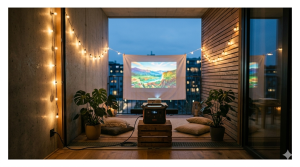
The Setup: A projector, a portable soundbar, and a collapsible white screen (or a bedsheet clipped to a curtain rod) on your balcony. Guests bring blankets. You run the whole setup from a single power station tucked under the table — zero extension cords trailing through sliding doors.
This is one of the most visually impressive creative power station ideas in the renter lifestyle space — and it’s genuinely achievable on a modest budget.
What You Need:
- Portable LED projector (50–120W) — BenQ, Anker Nebula, or XGIMI models
- Bluetooth soundbar (10–30W)
- Streaming stick (5–10W) or laptop for content
- Power station with 2+ AC outlets
Wattage Math:
- 100W projector + 20W soundbar + 10W streaming stick = 130W total
- On a 500Wh station: 3.2 hours of runtime
- On a 1,024Wh EcoFlow DELTA 2: 6.7 hours — enough for a double feature plus intermission
Recommended Station: EcoFlow DELTA 2 (1,024Wh) for full movie nights, or EcoFlow RIVER 2 Pro (768Wh) for shorter single-film setups.
Pro Tip: Use an Anker Nebula Capsule projector (15W) instead of a full-size unit and your portable power for balcony office or entertainment setup runs for over 24 hours on 500Wh. Micro projectors have come a long way.
Why This Is One of the Best Portable Power Station Uses: It transforms a balcony into a social venue without any permanent installation, no landlord conversation, and zero ugly cable runs across the floor.
Use #2: The “Work From Anywhere” Hub
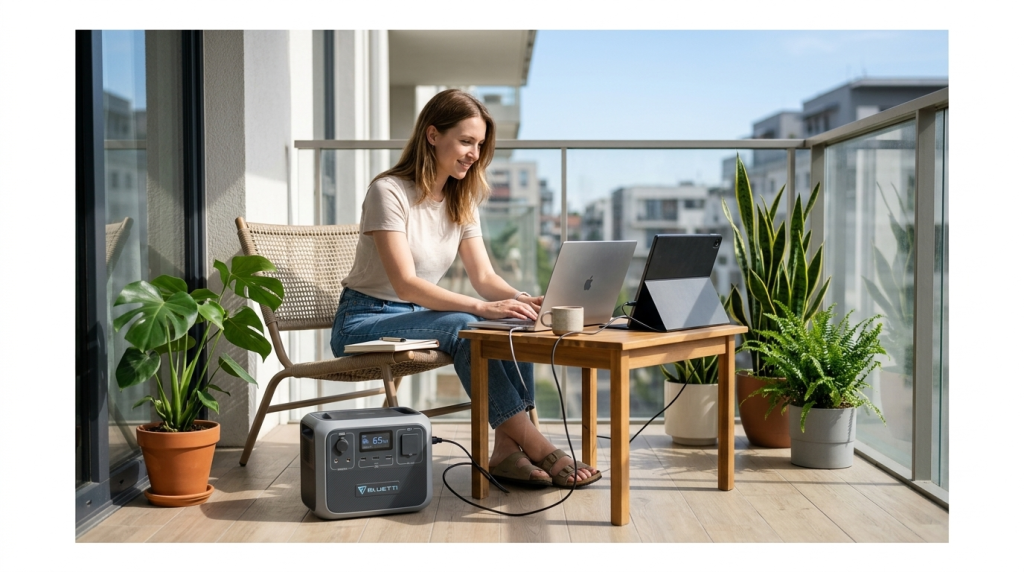
The Setup: A laptop, an external monitor, a USB hub, and possibly a desk fan — all powered from a single portable power station placed on the floor beside your sofa or balcony table. No wall outlet within reach. No problem.
This is arguably the most practical everyday entry point into using power station at home for renters who work remotely. The portable power for balcony office use case is one of the top reasons apartment renters purchase their first power station in 2026.
What You Need:
- Laptop (45–100W depending on model)
- External USB-C monitor (25–60W)
- USB hub / docking station (10–15W)
- Optional: desk fan (25–50W)
Wattage Math:
- 65W laptop + 40W monitor + 12W USB hub + 35W fan = 152W total
- On a 1,024Wh station: 5.7 hours of full work setup runtime
- Adding a 200W balcony solar panel input: nearly indefinite daytime runtime
Recommended Station: EcoFlow DELTA 2 (1,024Wh) paired with a 220W solar panel for genuine all-day portable power for balcony office independence.
The Renter Advantage: Most apartment leases don’t require you to declare a portable power station — it’s a consumer appliance. This means your portable power for balcony office setup is entirely within your rights, regardless of what your building’s balcony power outlet situation looks like.
Pro Tip: Enable pass-through charging on the EcoFlow app — the station charges from solar while simultaneously powering your work setup. You can work all day on the balcony and finish with a fuller battery than you started with on a clear day.
Use #3: Gourmet Breakfast Station
The Setup: A Nespresso machine, a high-speed blender for smoothies, and a small induction cooktop — all arranged aesthetically on your balcony table for a weekend “outdoor café” breakfast. No running extension cords through the door. Just clean surfaces, morning light, and good coffee.
This is one of the most aspirational apartment power station hacks in the lifestyle category — and the one that most surprises first-time users. Yes, a power station can run a Nespresso machine. Yes, it genuinely works.
What You Need:
- Nespresso or espresso machine (1,350–1,500W)
- High-speed blender like Vitamix or Ninja (900–1,200W)
- Small induction cooktop (600–1,800W, run on low-medium)
- Power station with 1,800W+ continuous output and 2,500W+ surge
Wattage Math (per use, not continuous):
- Nespresso pull (30 seconds at 1,400W): ~12Wh per cup
- Smoothie blend (45 seconds at 1,000W): ~12Wh per blend
- Induction cooktop breakfast (10 min at 800W): ~133Wh
- Total morning session: ~160–180Wh — completely manageable on any 500Wh+ station
The key insight: high-wattage appliances run in short bursts, not continuously. A Nespresso shot takes 30 seconds. A blender runs for 45 seconds. These devices consume dramatically less total energy than their wattage rating suggests.
Recommended Station: EcoFlow DELTA 2 (1,024Wh, 2,700W surge) — the 2,700W surge capacity handles high-draw appliance startup without issue, and 1,024Wh supports multiple mornings of full breakfast setups between wall charges.
Pro Tip: This is one of the apartment power station hacks that pays aesthetic dividends far beyond the utility. A clean balcony breakfast table with no visible cords photographs beautifully — content creators take note.
Use #4: The Content Creator’s Corner
The Setup: You’ve found the perfect natural light spot in your apartment — a corner by the window, a position on the balcony, a spot in the hallway. The problem: no outlet within reach. The solution: a power station running your entire lighting and camera rig, positioned wherever the light is perfect.
This is one of the highest-value creative power station ideas for the growing population of US apartment renters who create content professionally or as a side income.
What You Need:
- Ring light or LED panel (40–150W)
- Camera battery charger (10–30W)
- Laptop for editing/monitoring (65W)
- Optional: audio interface + microphone (15W)
- Optional: small monitor for camera feed (25W)
Wattage Math:
- 100W LED panel + 65W laptop + 20W camera charger + 15W audio = 200W total
- On a 1,024Wh station: 4.4 hours — a full shoot day
- On a 768Wh station: 3.3 hours — sufficient for most single sessions
Recommended Station: EcoFlow RIVER 2 Pro (768Wh) at 17.6 lbs — light enough to move between rooms and locations as the natural light shifts throughout the day. This is one of the most mobile portable power station uses in this guide.
Pro Tip: Pair with e bike lighting panels — high-CRI LED panels originally designed for workshop use perform excellently as content creation lighting at a fraction of studio lighting prices, and they’re efficient enough (50–80W) to run all day on a 768Wh station.
The Creative Advantage: Your best natural light might be on the balcony at 9 AM, in the bedroom at 2 PM, and in the living room at 5 PM. A portable power station lets your studio follow the light instead of your light following the outlets.
Use #5: Apartment Vehicle Detailing
The Setup: Your car sits in the building’s parking garage. There are no public outlets. You can’t run a corded vacuum, polisher, or pressure washer without a power source. A portable power station in the trunk changes this completely — full detailing capability in any parking space, no cords, no asking building management for outlet access.
This is one of the most practically underrated portable power station uses for urban renters who maintain their own vehicles.
What You Need:
- Cordless or corded car vacuum (80–200W via AC)
- Orbital polisher / buffer (180–300W)
- Foam cannon + pressure washer (optional, 1,200–1,500W)
- LED detailing light (30–50W)
- Power station with 1,500W+ output for full kit
Wattage Math:
- 150W vacuum (20 min) + 250W polisher (30 min) + 40W LED light (60 min) = ~143Wh total session
- On a 500Wh station: approximately 3 full detailing sessions per station charge
- On a 1,024Wh station: 6–7 sessions between wall charges
Recommended Station: EcoFlow RIVER 2 Pro (768Wh, 800W continuous, 1,600W surge) for most detailing workflows. Step up to the EcoFlow DELTA 2 (1,024Wh, 1,800W) if you want to run a pressure washer.
Pro Tip: This is one of the apartment power station hacks that pays for itself in saved car wash fees. Two professional details per month at $80 each = $1,920/year. A $449 power station and your own supplies cuts that cost by 80%.
Use #6: The Balcony Hobby Shop
The Setup: Power tools — Dremel rotary tools, soldering irons, small drills, laser engravers, heat guns — all produce dust, fumes, and noise that make them deeply unpleasant for indoor apartment use. Moving your hobby work to the balcony solves all of these problems, but most balconies lack power outlets. A portable power station running from inside (or charged and brought outside) creates a complete outdoor hobby workspace.
Among all the creative power station ideas in this guide, the balcony hobby shop is the one that most expands what a small apartment can functionally do.
What You Need:
- Dremel rotary tool (175W at full speed)
- Soldering iron or station (50–80W)
- Small drill press or handheld drill (300–500W)
- LED work light (30–50W)
- Optional: small laser engraver (40–80W)
Wattage Math:
- 175W Dremel (2 hrs) + 60W soldering iron (3 hrs) + 40W work light (3 hrs) = ~590Wh total hobby session
- On a 1,024Wh station: 1.7 full hobby sessions per charge
- On a 768Wh station: 1.3 sessions — fine for single-project work
Recommended Station: EcoFlow DELTA 2 (1,024Wh) — the 2,700W surge handles power tool startup loads that smaller stations struggle with.
Pro Tip: Using power station at home for hobby work also keeps the indoor air quality clean. Soldering fumes, resin fumes, and fine sawdust are genuine health hazards in a small, poorly ventilated apartment. The balcony hobby shop isn’t just about power — it’s a quality of life upgrade.
Use #7: Wireless Interior Lighting
The Setup: A floor lamp in the corner. A neon sign above the desk. LED strip lights framing a shelf. All of them powered by a small power station hidden behind the furniture — no visible cords running to outlets, no cable management drama, no ugly power strips breaking the aesthetic.
This is one of the most elegant lifestyle uses for portable power in apartment design — and one of the most underappreciated apartment power station hacks for renters who care about their interior aesthetic.
What You Need:
- Floor lamp with LED bulb (8–15W)
- LED neon sign (15–25W)
- LED strip lights (10–20W per 5 meters)
- Small power station (256–500Wh is sufficient for lighting-only setups)
Wattage Math:
- 12W floor lamp + 20W neon sign + 15W LED strips = 47W total
- On a 256Wh portable AC outlet bank: 4.6 hours — sufficient for an evening
- On a 500Wh unit: 9 hours — a full day/evening cycle
- On a 768Wh EcoFlow RIVER 2 Pro: 13.8 hours — run from morning to midnight
Recommended Station: EcoFlow RIVER 2 (256Wh, $249) for pure lighting setups — the smallest, most discreet option that disappears behind a bookshelf. For mixed-use setups where the same station powers lighting AND a work setup, step up to the RIVER 2 Pro (768Wh).
Pro Tip: This is the portable power station uses case where the station itself is part of the design. Wrap a small station in a fabric cover or tuck it into a decorative basket — it becomes invisible. Your guests will ask how your lamp has no cord.
The Minimalist Renter Payoff: Cord-free lighting removes the single most persistent visual clutter problem in small apartments. Combined with using power station at home as a deliberate design choice, it elevates a studio apartment to look genuinely considered.
Use #8: Outdoor Gaming Nook
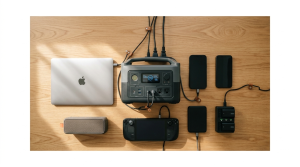
The Setup: A comfortable chair on the balcony. A Steam Deck, ROG Ally, or Nintendo Switch on a lap stand. A Bluetooth controller. A cold drink. And a portable power station keeping everything charged for hours without a single cable going back inside.
Among all lifestyle uses for portable power, this one is growing fastest among the 18–35 renter demographic — and it’s one of the most effortless apartment power station hacks to actually implement.
What You Need:
- Handheld gaming console: Steam Deck (45W charging), ROG Ally (65W), Switch (18W)
- Wireless controller charger (5–10W)
- Optional: small portable fan (25–50W) for summer sessions
- Optional: Bluetooth speaker (10–20W)
Wattage Math:
- 45W Steam Deck + 10W controller charger + 35W fan + 15W speaker = 105W total
- On a 256Wh portable bank: 2.1 hours — short session
- On a 500Wh station: 4 hours — comfortable afternoon
- On a 768Wh EcoFlow RIVER 2 Pro: 6.2 hours — full-day outdoor gaming
Recommended Station: EcoFlow RIVER 2 Pro (768Wh) — the right balance of capacity and portability (17.6 lbs) for a setup you’ll move to the balcony frequently.
Pro Tip: Use the power station’s USB-C 100W output directly for console charging rather than the AC outlet — this bypasses the inverter entirely, improving efficiency by ~15% and extending runtime meaningfully.
The VR Extension: For VR headsets (Meta Quest 3: 18W charging), a small power station extends play sessions dramatically. Using power station at home as a VR charging dock means you never interrupt a session for a battery swap — just plug in between rounds.
Use #9: Smart Plant Care
The Setup: A balcony garden with grow lights for seedlings, a small automated drip irrigation pump on a timer, a fan for air circulation, and a soil moisture sensor hub — all powered by a compact power station that itself charges from a small solar panel during the day.
This is the most self-sustaining of all portable power station uses on this list, and the one most aligned with the portable solar generator for apartment lifestyle that eco-conscious renters are building.
What You Need:
- Full-spectrum grow light (20–80W depending on coverage area)
- Micro water pump on timer (15–30W, runs minutes per day)
- Small clip fan for air circulation (10–25W)
- Soil sensor hub (2–5W continuous)
- Small power station (256–500Wh) + 100W solar panel
Wattage Math (daily consumption):
- 40W grow light (12 hrs/day) = 480Wh
- 20W pump (5 min/day) = 1.7Wh
- 15W fan (8 hrs/day) = 120Wh
- 3W sensor hub (24 hrs) = 72Wh
- Total daily: ~674Wh
For a fully solar-powered smart plant setup, a 100W panel (generating ~500Wh on a good sun day) plus a 500Wh station buffer covers most of this load. A 200W panel covers it entirely — a genuine off-grid apartment solar kit USA scenario for your balcony garden.
Recommended Station: EcoFlow RIVER 2 Pro (768Wh) + 100W foldable solar panel — a complete self-sustaining plant care ecosystem under $600 total.
Pro Tip: Set the power station’s app to prioritize solar input during peak sun hours and switch to battery during evening/night hours. Your grow lights and pumps run automatically while the solar panel maintains the station — true set-it-and-forget-it lifestyle uses for portable power at its best.
Use #10: The Silent Energy Arbitrage
The Setup: Charge your power station during off-peak electricity hours (typically 11 PM–7 AM in most US time-of-use rate zones) when rates are 40–60% cheaper. Use the stored power to run your desk setup, laptop, monitor, and lighting during peak daytime hours. Pay off-peak rates for peak-hour consumption — indefinitely.
This is the most financially sophisticated of all portable power station uses on this list. It’s an apartment power station hack that turns your station from a cost into a revenue-generating asset — and it requires zero special hardware, zero solar panels, and zero technical expertise.
How Time-of-Use (TOU) Electricity Pricing Works:
Most US utility companies offer TOU rate plans, where electricity cost varies by time of day:
| Time Period | Typical Rate (per kWh) | Example Utilities |
|---|---|---|
| Off-peak (11 PM–7 AM) | $0.08–$0.14 | SCE, PG&E, ConEd, ComEd |
| Mid-peak (7 AM–4 PM) | $0.16–$0.24 | Same utilities |
| On-peak (4 PM–9 PM) | $0.28–$0.45 | Same utilities |
The Arbitrage Math:
- 1,024Wh station charged at off-peak rate ($0.10/kWh): $0.10 per full charge
- Same energy used during on-peak hours at $0.35/kWh: $0.36 equivalent value
- Savings per cycle: $0.26
- At 5 discharge cycles per week: $1.30/week → $67.60/year
For renters in high-rate states like California, New York, or Massachusetts where on-peak rates exceed $0.40/kWh, annual savings from systematic energy arbitrage with a single 1,024Wh station reach $120–$180/year.
Recommended Station: EcoFlow DELTA 2 (1,024Wh) — its app allows scheduled charging windows, so you set “charge between midnight and 6 AM” once, and it handles the rest automatically.
Pro Tip: Combine this with the portable solar generator for apartment strategy from Use #2 — solar charges the station for free during the day, and off-peak grid charging tops it up at night. Your daytime desk setup runs entirely on solar energy. Your station stays topped up at the cheapest possible rate. This is using power station at home at its most strategically optimized.
Safety First: Why LiFePO4 Makes All of These Indoor Portable Power Station Uses Safe
Every portable power station uses scenario in this guide involves operating a battery-powered device inside or immediately adjacent to a living space. Battery safety isn’t optional — it’s the foundation that makes all of these creative power station ideas responsible and practical.
The critical distinction for apartment renters is battery chemistry. LiFePO4 (Lithium Iron Phosphate) batteries — used in all EcoFlow, Bluetti, and Anker SOLIX units recommended in this guide — have a thermal stability threshold of 518°F before breakdown. Standard NMC lithium cells (found in cheaper stations and most power banks) reach thermal runaway at approximately 320°F.
What this means practically for indoor portable power station uses:
- LiFePO4 units do not off-gas under normal operation or most fault conditions
- They will not ignite in standard failure modes — cells may vent minimally but will not catch fire
- They are certified under UL 9540, UL 1973, and IEC 62619 for residential indoor use
- NFPA 855 — the national standard for residential energy storage — permits these units in dwelling units without any special requirements
Every using power station at home scenario in this guide is safe with a certified LiFePO4 unit placed on a hard surface with normal room ventilation. Follow the standard safety habits: hard surface placement, 12 inches of clearance on all sides, no closed cabinet charging, and temperature between 50°F and 95°F.
Choosing the Right Station for Your Lifestyle Uses
Different lifestyle uses for portable power require different station capacities. Here’s the quick matching guide:
| Use Case | Minimum Capacity | Recommended Station | Approx. Price |
|---|---|---|---|
| Wireless lighting only | 256Wh | EcoFlow RIVER 2 | ~$249 |
| Outdoor gaming nook | 500Wh | EcoFlow RIVER 2 Pro | ~$449 |
| Content creator’s corner | 768Wh | EcoFlow RIVER 2 Pro | ~$449 |
| Balcony cinema (short film) | 768Wh | EcoFlow RIVER 2 Pro | ~$449 |
| Smart plant care + solar | 768Wh | EcoFlow RIVER 2 Pro + panel | ~$649 |
| Work from anywhere hub | 1,024Wh | EcoFlow DELTA 2 | ~$799 |
| Balcony cinema (double feature) | 1,024Wh | EcoFlow DELTA 2 | ~$799 |
| Vehicle detailing | 1,024Wh | EcoFlow DELTA 2 | ~$799 |
| Balcony hobby shop | 1,024Wh | EcoFlow DELTA 2 | ~$799 |
| Gourmet breakfast station | 1,024Wh | EcoFlow DELTA 2 | ~$799 |
| Energy arbitrage (max savings) | 1,024Wh+ | EcoFlow DELTA 2 | ~$799 |
| Full lifestyle stack (all 10 uses) | 2,048Wh | EcoFlow DELTA 2 Max | ~$1,399 |
The majority of portable power station uses in this guide are comfortably served by the EcoFlow DELTA 2 at 1,024Wh — the single best all-around station for renters who want to explore multiple creative power station ideas without buying twice.
Frequently Asked Questions
What are the most useful portable power station uses for apartment renters?
The most practical everyday portable power station uses for apartment renters are: powering a work-from-anywhere desk setup on the balcony (portable power for balcony office), running wireless interior lighting without visible cords, operating small appliances like a Nespresso machine outdoors, and the silent energy arbitrage hack that charges during off-peak hours and discharges during peak hours to reduce electricity bills. Beyond emergency backup, using power station at home for these daily lifestyle upgrades is where the real long-term value lies.
Is it safe to use a portable power station indoors for these lifestyle setups?
Yes — with a certified LiFePO4 unit from a major manufacturer (EcoFlow, Bluetti, Anker SOLIX). These units use lithium iron phosphate chemistry that is thermally stable, non-toxic in normal operation, and certified under UL 9540 and NFPA 855 for residential indoor use. Every apartment power station hack in this guide is safe when implemented with a quality LiFePO4 station on a hard, ventilated surface.
What size power station do I need for a balcony cinema setup?
For a single movie (roughly 2 hours): a 500Wh station running a 60W projector, 20W soundbar, and 10W streaming stick (90W total) provides approximately 4.7 hours — sufficient for a film plus extras. For a double feature or extended evening: the EcoFlow DELTA 2 (1,024Wh) provides 7.5+ hours at the same load. This is one of the most visually impressive creative power station ideas for apartment renters who entertain.
Can a portable power station run a Nespresso machine?
Yes — with the right station. A Nespresso machine pulls 1,350–1,500W during heating, which requires a station with 1,500W+ continuous AC output and 2,000W+ surge capacity. The EcoFlow DELTA 2 (1,800W continuous, 2,700W surge) handles this perfectly. Importantly, a Nespresso shot takes only 25–30 seconds — consuming roughly 10–12Wh total. A single morning of coffee brewing uses less than 50Wh of station capacity, making this one of the most energy-efficient portable power station uses in the kitchen category.
How does the energy arbitrage portable power station hack actually work?
It works by exploiting time-of-use electricity pricing — charging your station at cheap off-peak rates (typically 11 PM–7 AM) and using that stored power during expensive on-peak hours (4–9 PM). For California renters on TOU rate plans, on-peak rates can reach $0.40+/kWh vs $0.10/kWh off-peak. A 1,024Wh station cycled daily generates $0.26–$0.31 in rate arbitrage value per cycle — approximately $100–$150 annually from a single station. This apartment power station hack requires only enabling scheduled charging in the EcoFlow or Bluetti app.
What’s the best portable power station for a content creator’s setup?
The EcoFlow RIVER 2 Pro (768Wh, 17.6 lbs) is the top recommendation for content creator portable power station uses — specifically because of its weight. Moving your rig to follow natural light throughout the day is the core creative advantage of using power station at home for content creation, and the RIVER 2 Pro’s 17.6 lb weight makes this genuinely practical. It runs a full LED panel + laptop + camera charger setup for 3+ hours per charge.
Can I use a portable power station for smart plant care on my balcony?
Absolutely — and pairing it with a small solar panel makes it self-sustaining. A standard balcony garden with a 40W grow light (12 hrs/day), micro water pump, and sensor hub consumes approximately 600–700Wh daily. A 768Wh station plus a 200W solar panel (generating 600–900Wh on a clear day) covers this load with solar input alone on sunny days. This is one of the most elegant lifestyle uses for portable power for eco-conscious apartment renters — a completely off-grid balcony garden ecosystem.
How many of these portable power station uses can one station handle?
One 1,024Wh station (like the EcoFlow DELTA 2) can handle all 10 portable power station uses in this guide — just not simultaneously. The practical apartment workflow is: use the station for your daytime work hub, move it to the balcony for evening cinema or hobby work, let it charge overnight on the off-peak rate, and repeat. The station becomes a shared power infrastructure for your whole lifestyle — not a single-purpose device. This is using power station at home at its most versatile.
UnitVerseHQ covers smart home, portable power, and lifestyle optimization for American apartment renters. All wattage figures are representative estimates — verify your specific device’s actual power draw with a watt meter for precision planning. Prices reflect market conditions as of February 2026.