
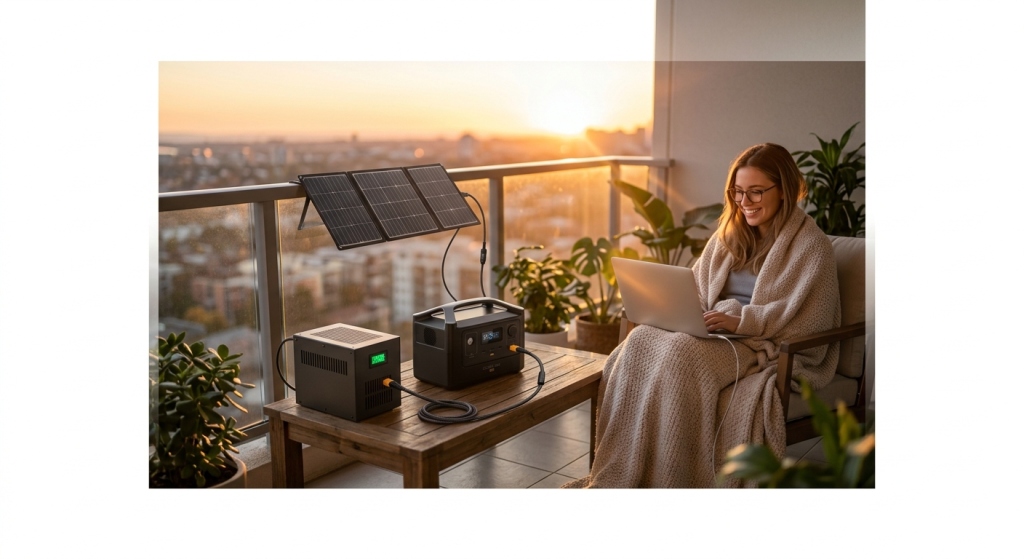
Hacking EcoFlow River 2: The Complete Mod & Expansion Guide (2026)
By UnitVerseHQ | Updated February 2026
The EcoFlow River 2 is one of the best-selling compact portable power stations in the US market — but out of the box, it has real limitations. 256Wh on the base model runs out fast. The River 2 Max’s 512Wh is better but still not enough for all-day off-grid use. And unlike the DELTA series, EcoFlow officially says the River 2 series cannot be expanded with extra batteries.
That’s where hacking EcoFlow River 2 comes in.
The DIY solar community has spent two years reverse-engineering the River 2’s input ports, firmware behavior, and charging circuits. The result: a collection of verified, field-tested modifications that genuinely extend capacity, maximize solar input speed, and squeeze significantly more performance from both the base River 2 and the EcoFlow River 2 Max. This guide compiles every working hack — with real specs, wiring details, risk levels, and the community-sourced wisdom that makes each one actually work.
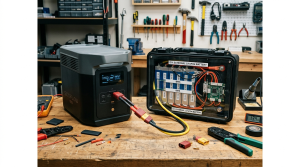
Understanding the EcoFlow River 2 Series First
Before hacking EcoFlow River 2, you need to understand exactly what you’re working with. The River 2 series has three models with meaningfully different specs — and the hacks that work on one don’t always apply to another.
The Full River 2 Lineup — Verified 2026 Specs
| Spec | River 2 (Base) | River 2 Max | River 2 Pro |
|---|---|---|---|
| Capacity | 256Wh | 512Wh | 768Wh |
| AC Output | 300W | 500W | 800W |
| X-Boost Surge | 600W | 1,000W | 1,600W |
| Solar Input Max | 110W | 220W | 220W |
| Solar Voltage Range | 11–30V | 11–50V | 11–50V |
| Solar Connector | XT60i | XT60i | XT60i |
| MPPT Efficiency | >98% | >98% | >98% |
| AC Charge Speed | 600W | 660W | 800W |
| Full Charge Time | 60 min | 60 min | 70 min |
| USB-C Bidirectional | 60W input | 100W input | 100W input |
| Battery Chemistry | LiFePO4 | LiFePO4 | LiFePO4 |
| Cycle Life | 3,000+ | 3,000+ | 3,000+ |
| UPS Switchover | <30ms | <30ms | <30ms |
| Weight | 7.7 lbs | 13.2 lbs | 17.6 lbs |
| Official Expandable? | ❌ No | ❌ No | ❌ No |
| MSRP | ~$249 | ~$349 | ~$449 |
The critical fact for hacking EcoFlow River 2: the entire River 2 series shares the same XT60i solar input architecture and the same MPPT controller logic. Hacks that work on the River 2 Max’s solar port work on the River 2 Pro, and with voltage adjustments, on the base River 2 as well. The key difference is voltage range — the base River 2 accepts only 11–30V, while the Max and Pro accept up to 50V.
Is Hacking EcoFlow River 2 Actually Possible? The Honest Answer
Before diving into specific modifications, let’s address what hacking EcoFlow River 2 actually means — and set honest expectations.
EcoFlow officially confirms: The EcoFlow RIVER 2 series of Portable Power Stations is not expandable. EcoFlow There is no official extra battery. No expansion port. No proprietary high-bandwidth connection like the DELTA series uses.
What the community has discovered: The XT60i solar input port is a standard MPPT controller input — it doesn’t know or care whether the DC power flowing into it comes from a solar panel or a battery. Any DC source within the correct voltage range that provides power through an XT60i connector will charge the River 2’s internal battery, functioning as a de facto external capacity extension.
This is the foundation of every real EcoFlow River 2 Max capacity hack and DIY external battery for EcoFlow strategy in this guide. It’s not elegant like a proper expansion port — but it works, and the DIY solar community has validated it extensively.
Three categories of hacks in this guide:
| Category | Risk Level | Skill Required | Capacity Gain |
|---|---|---|---|
| XT60i solar mod (unlock speed) | Low | Beginner | None — speed only |
| DIY external battery (PV port) | Medium | Intermediate | +200–1,000Wh |
| USB-C input optimization | Low | Beginner | None — speed/convenience |
| App/firmware optimization | Zero | Beginner | Effective +10–15% usable |
| Off-peak charging automation | Zero | Beginner | Cost savings only |
Hack #1 — The EcoFlow XT60i Solar Charging Mod: Unlock Full Speed
This is the first and most important EcoFlow XT60i solar charging mod — and it’s the one most River 2 owners are getting wrong right now.
The Problem: You’re Probably Leaving Speed on the Table
One common question we get is about the difference between XT60 and XT60i. Many of the models say they need the XT60i. But in reality, they can typically use either one. The XT60 should always allow full charging speeds for solar panels connected to most power stations. The point of the XT60i is to allow for higher charging rates above 8A with other DC charging sources. The Power Sphere
This creates confusion — but here’s the precise technical distinction that matters for hacking EcoFlow River 2:
The main difference between the EcoFlow XT60 cable and EcoFlow XT60i cable is the current rating. The XT60 cable has a current rating of 60A, while the XT60i cable has a current rating of 100A. This means that the XT60i cable can safely carry more current, which can be important if you are using a high-power solar panel. Another difference between the two cables is the connector. The XT60 cable has a standard XT60 connector, while the XT60i cable has a modified XT60 connector with an integrated diode. The diode helps to protect the power station from reverse current, which can damage the battery. Outbound Power
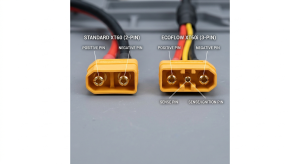
For DC sources that aren’t solar panels — specifically, for DIY external battery for EcoFlow applications — the XT60i’s sense pin becomes critical: It looks for the negative pin to be shorted with the XT60i sense pin. Otherwise you’ll be limited to 8A because it thinks you may be connected to your vehicle and it doesn’t want to blow the fuse. DIY Solar Forum
The EcoFlow XT60i Solar Charging Mod — Step by Step
What you need:
- EcoFlow’s official MC4 to XT60i cable (~$15 from EcoFlow store) or a third-party XT60i cable with confirmed sense pin wiring
- Your solar panel(s) with MC4 connectors
- A multimeter (recommended for voltage verification before connecting)
Why the official cable matters: Community testing confirms that not all XT60i cables actually work as expected. For a sure thing, pay the $25 for the EcoFlow XT60i to MC4 cable from their website. DIY Solar Forum Third-party cables sometimes omit the sense pin connection, leaving you in 8A car-charging mode even though you used an “XT60i” cable.
Voltage verification before connecting (critical step):
For the EcoFlow River 2 Max (11–50V range):
- Single 200W panel: typical Voc = 21–25V ✅ Safe
- Two 100W panels in series: Voc = ~40–44V ✅ Safe (under 50V limit)
- Two 200W panels in series: Voc = ~42–50V ⚠️ Check exact Voc — must stay under 50V
- Three panels in series: ❌ Will exceed 50V limit — do NOT connect
For the River 2 base (11–30V range):
- Single 100W panel: Voc = ~21V ✅ Safe
- Single 200W panel: Voc = ~24V ✅ Safe
- Two panels in series: ❌ Exceeds 30V limit
The hack’s payoff: Correctly using an XT60i cable with properly wired sense pin unlocks the full 220W MPPT input on the River 2 Max — charging from solar at maximum speed. A 220W panel under good conditions delivers 160–190W real-world input, fully recharging a 512Wh River 2 Max in approximately 3 hours. Without the proper XT60i, you might be running at 8A × 24V = 192W theoretical maximum, but the 8A car-mode limit means you’re actually capped at a fraction of that.
Hack #2 — DIY External Battery for EcoFlow River 2 via PV Port
This is the real EcoFlow River 2 Max capacity hack the community has been developing — using a DIY LiFePO4 battery connected through the solar/PV input port to functionally double or triple the River 2’s usable capacity.
How the DIY External Battery for EcoFlow Works
The River 2’s XT60i input is an MPPT (Maximum Power Point Tracking) solar controller input. It’s designed to accept DC power within its specified voltage range and charge the internal battery. A LiFePO4 external battery that outputs DC within the correct voltage window behaves, from the River 2’s perspective, identically to a solar panel. The MPPT controller draws current from it, converts it, and stores it in the internal battery.
A possible issue is that your charge rate will be limited to 15A (11-150V 15A), so with a final 48V nominal battery at say 55V would be ~825W. DIY Solar Forum For the River 2 Max specifically, the MPPT limit is 220W — meaning regardless of what external battery you connect, the River 2 Max will never draw more than 220W from the PV port.
Voltage Compatibility: The Most Important Rule
This is where hacking EcoFlow River 2 requires precision. Connect a voltage outside the specified range and you risk damaging the MPPT controller — potentially permanently.
| External Battery Type | Voltage Range | River 2 Max Compatible? | River 2 Base Compatible? |
|---|---|---|---|
| 12V LiFePO4 (13.2V full) | 12–14.6V | ✅ Yes (within 11–50V) | ✅ Yes (within 11–30V) |
| 24V LiFePO4 (29.2V full) | 24–29.2V | ✅ Yes (within 11–50V) | ✅ Yes (within 11–30V) |
| 36V LiFePO4 (43.8V full) | 36–43.8V | ✅ Yes (within 11–50V) | ❌ NO — exceeds 30V |
| 48V LiFePO4 (54.6V+ full) | 48–58.4V | ❌ NO — exceeds 50V | ❌ NO |
The sweet spot for River 2 Max: A 24V LiFePO4 battery is the optimal choice for a DIY external battery for EcoFlow River 2 Max setup. At full charge (approximately 29.2V) it stays safely under the 50V limit, and its voltage range produces the best power transfer:
Power = Voltage × Current 29.2V × ~7.5A (MPPT limited) = ~219W — nearly the full 220W PV input capacity
A 24V 50Ah LiFePO4 battery adds 1,200Wh of additional capacity to your River 2 Max — transferring it at 220W means the external battery fully charges the River 2 Max in approximately 2.5 hours per charge cycle, giving you effectively 1,200Wh ÷ 512Wh = 2.3 additional full River 2 Max charges from a single external battery connection.
The DIY External Battery Setup — Parts List
| Component | Specification | Approximate Cost |
|---|---|---|
| 24V LiFePO4 battery | 24V, 20–100Ah (with built-in BMS) | $80–$350 |
| XT60i pigtail cable | XT60i female connector, 12AWG wire | $8–$15 |
| Inline fuse holder | 30A blade fuse, 12AWG compatible | $8–$12 |
| Ring terminals | 12AWG, for battery terminal connection | $5 |
| Multimeter | For voltage verification before first connection | $15–$25 |
| Total | $116–$407 |
Step-by-Step Wiring for the DIY External Battery for EcoFlow
⚠️ Important safety note: Verify your external battery’s full-charge voltage with a multimeter BEFORE connecting to the River 2. A 24V LiFePO4 battery should read no more than 29.4V fully charged. Do not proceed if the reading exceeds your River 2’s maximum solar input voltage.
Step 1: Connect the inline 30A fuse to the positive terminal of your external LiFePO4 battery. This fuse is non-negotiable — it protects both the battery and the River 2 MPPT controller in fault conditions.
Step 2: Solder the XT60i pigtail to your cable run. Positive (red) connects to the fused positive battery terminal. Negative (black) connects to the negative battery terminal. The XT60i’s sense pin must be wired to negative — this is what signals the River 2 that a solar/PV source is connected, unlocking full MPPT current rather than the 8A car-mode limit.
Step 3: Verify polarity with a multimeter before connecting the XT60i to the River 2. The XT60i positive pin should measure your battery voltage (+), negative pin should measure 0V relative to positive.
Step 4: Connect the XT60i to the River 2’s solar input port. The River 2 display should show solar/PV input wattage — typically 150–210W for a 24V battery in this configuration.
Step 5: Monitor the first charge cycle. The River 2 will display input wattage on its screen and in the app. If the wattage shown is unexpectedly low (under 50W), check the XT60i sense pin wiring — you may be in car-mode. If the display shows the correct voltage range and reasonable wattage, your DIY external battery for EcoFlow is working correctly.
Real-World Capacity Gained
I’d like to add a 50AH or 100AH LiFEPo4 battery to the PV input, adding battery capacity. DIY Solar Forum This is the exact use case this hack enables. With a 24V 50Ah external battery (1,200Wh), your total system capacity becomes:
- River 2 Max internal: 512Wh
- External 24V 50Ah battery: 1,200Wh
- Total effective capacity: 1,712Wh
- Transfer efficiency (MPPT losses): ~95%
- Actual delivered capacity: ~1,627Wh
That transforms the River 2 Max from a compact 512Wh unit into a functional 1.6kWh system — at a fraction of the cost of buying an EcoFlow DELTA 2.
Hack #3 — The EcoFlow River 2 Max Capacity Hack: Parallel Solar Input
This is the advanced version of the EcoFlow River 2 Max capacity hack — running two external sources simultaneously to maximize input power.
However a 24V battery works great and I get around 380W of input from each MPPT. Using XT60i to ring terminal cable. The Delta 2 (max) will limit its input to 15A. The Delta 2 draws the current from the external battery. DIY Solar Forum The principle translates directly to the River 2, with its lower 220W PV input limit.
Combining Solar Panels + External Battery Simultaneously
The River 2 Max has a single XT60i input — but using an MC4 parallel connector, you can run two solar panels in parallel, or in the context of hacking EcoFlow River 2 for maximum throughput, you can run a solar panel and an external battery simultaneously through a parallel MC4 branch:
Configuration:
Solar Panel (100W, ~21V) ─────┐
                               ├── MC4 parallel → XT60i → River 2 Max
External 24V Battery (100W) ──┘
What this achieves: During daylight, both sources contribute to the 220W MPPT ceiling. At night or in shade, the external battery alone provides up to 210W of input. This is the most efficient path to maximizing the River 2 Max’s input rate continuously, regardless of solar conditions.
Critical constraint: The total input from combined sources cannot exceed the River 2 Max’s 220W PV limit. The MPPT controller enforces this automatically — it will throttle combined input to 220W regardless of what’s connected. You cannot “trick” the River 2 into accepting more than 220W via the PV port.
Hack #4 — USB-C 100W Bidirectional Input Hack (River 2 Max Exclusive)
This EcoFlow River 2 Max capacity hack is the cleanest of the bunch — no wiring, no external batteries, no XT60i cables. The River 2 Max and River 2 Pro both feature a 100W bidirectional USB-C port that accepts input from any USB-C Power Delivery source.
Using USB-C Input for Supplemental Charging
The EcoFlow River 2 Max has 500W AC outlets, super fast 660W mains charging, two-way 100W USB power delivery output and charging input. The Technology Man
This means any of the following can charge the River 2 Max via USB-C:
- A 100W USB-C GaN wall charger (adds ~85Wh/hour net)
- A laptop charger with USB-C PD output (65–100W)
- A 100 watt power bank with PD output (creates a power-bank-to-station charging chain)
- A solar panel with USB-C PD output (some newer panels include this)
The Dual-Input Stacking Hack
The River 2 Max accepts simultaneous input from multiple sources. The USB-C input (100W) and the XT60i solar input (220W) can both be active at the same time, stacking to provide up to 320W total input.
- XT60i solar input: 220W max
- USB-C PD input: 100W max
- Combined: 320W total input
- Full recharge time at 320W: ~1.6 hours (versus 3 hours on solar alone)
This dual-input approach is the safest and most user-friendly EcoFlow River 2 Max capacity hack for apartment renters — no modification needed, no external batteries to wire, no fuses to size. Just plug a USB-C PD source into the USB-C port while your solar panels are connected to the XT60i port. The River 2 Max manages both inputs automatically.
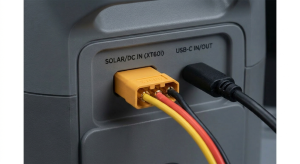
Hack #5 — App & Firmware Optimization Hacks
These software-side EcoFlow River 2 series accessories 2026 optimizations don’t require any hardware modification, but they meaningfully change the unit’s effective performance.
Firmware Always Current
EcoFlow regularly pushes firmware updates that include MPPT efficiency improvements, BMS recalibration, and occasionally expanded operational parameters. For hacking EcoFlow River 2 through software:
- Open the EcoFlow app → select your device → Settings → About Device
- Check firmware version against current release notes on EcoFlow’s support site
- Update if a newer version is available — community reports consistently show improved solar input stability in recent firmware versions
Charging Speed Control — The Quiet Charge Hack
The River 2 Max charges at up to 660W from AC at full speed — charging at full speed the cooling fans turn on and are fairly noisy — I measured 46db with a sound level meter one metre away — that was around 10db louder than background noise. The Technology Man
In the EcoFlow app: Settings → AC Charging Speed → set to “Silent” mode (approximately 200W). This drops fan noise dramatically — critical for overnight charging power station at night in a bedroom-adjacent apartment setup. The tradeoff: full charge takes approximately 2.5 hours instead of 1 hour.
SOC Calibration Hack
If your River 2’s displayed battery percentage seems inaccurate — charging to “100%” but the runtime doesn’t match, or showing discharge percentage that jumps non-linearly — the BMS state-of-charge calibration may be off. The recalibration process:
- Discharge the River 2 completely until it shuts off
- Let it rest for 30 minutes
- Charge to 100% without interruption
- Let it rest at 100% for 2 hours
- Discharge to zero again
- Charge to 100% once more
This two-cycle recalibration resets the BMS’s capacity tracking and typically recovers 5–10% of “lost” apparent capacity that accumulated through partial-cycle charging habits.
ECO Mode — The Standby Waste Elimination Hack
The River 2 Max’s AC inverter draws approximately 10–15W in standby even with nothing connected. Over 8 hours of standby per day, that’s 80–120Wh of waste — roughly 15–23% of the unit’s total capacity consumed doing nothing. Enable ECO mode in the app and the inverter sleeps when no load is detected, dropping standby draw to near zero.
Annual standby waste eliminated by ECO mode: 29–43kWh — worth $3.50–$15/year in electricity depending on your rate, and meaningfully extending battery cycle life by reducing unnecessary charge/discharge micro-cycling.
Hack #6 — Off-Peak Charging Automation for River 2
The off-peak electricity charging hack applies perfectly to the River 2 series — but the River 2’s app scheduling is more limited than the DELTA 2’s. Here’s the workaround for automating charging power station at night with a River 2.
Smart Plug Method (Best for River 2)
Since the River 2’s app doesn’t include a full charge scheduling interface like the DELTA 2, a smart plug ($15–$25) is the cleanest solution:
- Plug a Kasa EP25 or Shelly Plus 1PM into your wall outlet
- Connect the River 2’s AC charging cable to the smart plug
- Schedule the smart plug: ON at midnight, OFF at 6 AM
- The River 2 charges automatically at off-peak rates overnight
At a $0.23/kWh peak/off-peak spread, the River 2’s 512Wh capacity generates approximately $40–$45/year in electricity arbitrage savings on a daily cycling schedule — modest but real, and the setup takes 5 minutes.
EcoFlow River 2 Series Accessories 2026: What Actually Helps
Beyond hacks and mods, these EcoFlow River 2 series accessories 2026 genuinely expand what the unit can do:
Accessories That Legitimately Upgrade the River 2
| Accessory | Price | What It Does | Worth It? |
|---|---|---|---|
| EcoFlow MC4 to XT60i cable (official) | ~$25 | Unlocks full solar MPPT speed | ✅ Essential |
| XT60i extension cable (3m) | ~$15 | Routes cable from balcony to indoor station | ✅ Yes |
| MC4 parallel connector (Y-branch) | ~$8 | Connects two panels to single XT60i input | ✅ Yes |
| USB-C 100W GaN charger | ~$25–$40 | Adds second 100W input on River 2 Max | ✅ Yes |
| Kasa EP25 smart plug | ~$25 | Automates off-peak overnight charging | ✅ Yes |
| Jackery SolarSaga 200W panel | ~$299 | Best portable panel for River 2 Max solar input | ✅ Yes |
| Renogy 100W rigid panel (×2 in series) | ~$180 total | Budget panel option within voltage range | ✅ Yes |
| Waterproof XT60i extension | ~$20 | Outdoor use in wet conditions | ✅ Situational |
| EcoFlow carrying bag | ~$29 | Protects unit during transport | ✅ Situational |
| DC5521 to DC5525 adapter | ~$8 | Expands DC output compatibility | ✅ Cheap, useful |
Third-Party Panels Confirmed Compatible with River 2 Max
What solar panels work with the RIVER 2 Max? Any panel within 11–50V and up to 220W input will work, including EcoFlow’s 110W/160W panels or compatible third-party options with MC4 connectors. Pure Power Solar
Best third-party panels for EcoFlow River 2 series accessories 2026 compatibility:
Jackery SolarSaga 200W — Capable of generating ~400Wh in a day of direct sunlight, great for RIVER 3, RIVER 3 Plus, RIVER 2, and RIVER 2 Max. Specs: Voltage are current are well within all RIVER power station limits (Voc = 21.6V and Isc = 5.81A). The Power Sphere
Two 100W panels in series — Use two of these 100W panels in series (no extra adapter needed) with the EcoFlow RIVER 3 Plus, RIVER 3 Max, RIVER 2 Pro, and RIVER 2 Max. The Power Sphere Series connection doubles voltage to ~42V — within the River 2 Max’s 50V limit, and doubles current yield for near-maximum 220W input.
The River 2 Battery Expansion Guide: What Works and What Doesn’t
This River 2 battery expansion guide section addresses the most common questions honestly — including the approaches that sound plausible but don’t actually work.
What Works
✅ DIY LiFePO4 external battery via XT60i PV port — as detailed in Hack #2. These modular expansion batteries are complete kits that are specially designed for expanding the battery on your small Bluetti, EcoFlow and similar small power stations that can accept a 22v solar input. JAG35 Purpose-built expansion kits from Jehu Garcia’s JAG35.com are specifically designed for this use case and are a safer alternative to completely DIY wiring.
✅ USB-C PD power bank as supplemental input — any 100W USB-C PD power bank charges the River 2 Max simultaneously with other inputs.
✅ Parallel solar panels — two panels in the correct voltage range connected via MC4 Y-connector maximizes solar input up to the 220W ceiling.
✅ Third-party compatible solar panels — any panel within voltage specs with MC4 output.
What Doesn’t Work
❌ Official EcoFlow DELTA extra battery — uses a completely different proprietary connector and communication protocol. Not compatible with River 2.
❌ 48V external battery on River 2 Max — 48V LiFePO4 fully charged reaches 54.6V+ — exceeds the 50V limit. I tried a 36V external battery connect to one of the two 500W 11-60V 15A MPPT inputs in my Delta 2 max. It charges at 500W for a moment then shows 0 watts of solar input. So I don’t think a 48V will do what you are hoping for. However a 24V battery works great. DIY Solar Forum
❌ 36V external battery on base River 2 — 36V LiFePO4 fully charged reaches 43.8V — exceeds the base River 2’s 30V limit. Only safe on the River 2 Max and Pro (50V limit).
❌ Connecting batteries in series to exceed voltage ratings — always stay within the specified voltage range. Exceeding the MPPT input voltage risks damaging the controller permanently and voids the warranty.
Safety: What You Must Know Before Hacking EcoFlow River 2
The EcoFlow River 2 battery operates reliably in temperatures from 0°C to 45°C (32°F to 113°F). It includes built-in warning lights for high/low temperature alerts and overload protection, this prevents damage during extreme conditions. Portablepowerstations
When hacking EcoFlow River 2 with external batteries, these safety rules are non-negotiable:
Rule 1: Always fuse the external battery. A 24V LiFePO4 battery can deliver hundreds of amps in a short circuit. A properly rated inline fuse (25–30A for 220W/24V application) is the only protection between a wiring error and a fire. Install the fuse within 12 inches of the battery’s positive terminal.
Rule 2: Verify voltage before connecting. Use a multimeter to confirm your external battery’s voltage is within the River 2’s specified input range BEFORE connecting the XT60i. This takes 30 seconds and prevents a potentially permanent controller failure.
Rule 3: Use the correct wire gauge. For 24V systems at 220W input (approximately 9–10A), minimum 12AWG wire is required. Under-gauged wire creates resistance heat — a fire risk.
Rule 4: Monitor the first connection. Stay present for the first 15 minutes of every new external battery connection. Confirm the River 2 shows a stable input wattage. If the unit behaves unusually (excessive heat, strange sounds, rapidly fluctuating input display), disconnect immediately.
Rule 5: Do not exceed voltage limits. This bears repeating. For River 2 Max: maximum 50V. For base River 2: maximum 30V. These are hard limits, not guidelines.
Frequently Asked Questions
Can you actually expand the EcoFlow River 2’s battery capacity?
Not officially — the EcoFlow RIVER 2 series of Portable Power Stations is not expandable EcoFlow through any official EcoFlow expansion product. However, hacking EcoFlow River 2 through the XT60i solar input port with a compatible 24V LiFePO4 external battery is a validated community approach that effectively extends capacity. A 24V 50Ah external battery adds approximately 1,200Wh of transferable capacity, functionally tripling the River 2 Max’s usable energy over an extended session.
What is the XT60i solar charging mod and why does it matter?
The EcoFlow XT60i solar charging mod refers to using an XT60i connector (rather than a standard XT60) for the solar input. The XT60i has a third sense pin that signals to the River 2’s MPPT controller that a solar/PV source is connected — this unlocks full solar charging speed. Without the correct XT60i wiring, the unit defaults to car-charging mode and limits input to 8A regardless of what’s connected. Using the correct cable is the easiest and most impactful performance improvement for any River 2 owner with solar panels.
What external battery voltage works best with the EcoFlow River 2 Max?
A 24V LiFePO4 battery is the optimal choice for the EcoFlow River 2 Max capacity hack via the PV port. At full charge (approximately 29.2V), it stays safely within the River 2 Max’s 11–50V input range and delivers approximately 210W of input — close to the 220W maximum. A 12V battery also works but delivers lower wattage (~100–120W). A 48V battery must not be used — its full-charge voltage of 54–58V exceeds the 50V limit.
Can the base EcoFlow River 2 (256Wh) also be hacked?
Yes, with an important voltage restriction. The base River 2 accepts 11–30V on its solar input — significantly lower than the Max’s 50V limit. This means only 12V and 24V LiFePO4 batteries are safe to use as DIY external battery for EcoFlow River 2 base. A 24V battery at full charge (29.2V) is close to the 30V limit — leave a 5V safety margin and monitor voltage carefully. The base River 2’s solar maximum is also only 110W, so input from the external battery is capped lower than on the Max.
What are the best solar panels for the EcoFlow River 2 Max in 2026?
For the EcoFlow River 2 Max, the best panel options in 2026 are the Jackery SolarSaga 200W (Voc 21.6V, within range, foldable, best efficiency class at 24.3%), two 100W panels in series (Voc ~42V, near-maximum input near 220W limit), or the EcoFlow 110W/160W panels from the official ecosystem. Any panel within 11–50V and up to 220W input will work, including EcoFlow’s 110W/160W panels or compatible third-party options with MC4 connectors. Pure Power Solar
Does hacking EcoFlow River 2 void the warranty?
Modifying internal hardware would void the warranty. The DIY external battery for EcoFlow approach through the PV input port is more of a gray area — you’re using the solar input port as intended (accepting DC power), just from a battery instead of a panel. EcoFlow does not officially support this configuration and has not published guidance on it. If you experience issues with a modified setup, document the standard configuration before contacting support.
What is the EcoFlow River 2 Max’s maximum combined input using all hacks?
Using the dual-input stack (Hack #4) with optimal configurations:
- XT60i solar/PV port: 220W maximum
- USB-C PD port: 100W maximum
- Total simultaneous input: 320W
At 320W combined input, the River 2 Max (512Wh) reaches full charge in approximately 1.6 hours. This is the maximum input achievable without any hardware modification.
Is a DIY external battery for EcoFlow safe for apartment use?
Yes, with proper safety measures. Use a quality 24V LiFePO4 battery with a built-in BMS, install an appropriately-rated inline fuse, use correct wire gauge (12AWG minimum), verify voltage before connection, and store on a hard, non-flammable surface. LiFePO4 chemistry is thermally stable and safe for indoor use — the same chemistry used in the River 2’s own internal battery.
What EcoFlow River 2 series accessories 2026 are actually worth buying?
The highest-value EcoFlow River 2 series accessories 2026 are: the official EcoFlow MC4 to XT60i cable (~$25, unlocks full solar speed), a MC4 parallel Y-connector (~$8, enables two-panel input), a 100W USB-C GaN charger (~$30, adds a second input channel on River 2 Max), and a Kasa EP25 smart plug (~$25, automates off-peak overnight charging). These four accessories total approximately $88 and significantly expand the River 2 Max’s functionality without any complex modification.
How does hacking EcoFlow River 2 compare to just buying an EcoFlow DELTA 2?
Hacking EcoFlow River 2 is worth it if you already own a River 2 and want to extend its capability without purchasing a new unit. A 24V 50Ah external battery kit adds approximately 1,200Wh for $100–$350 — versus buying an EcoFlow DELTA 2 at ~$799 for 1,024Wh total capacity. For existing River 2 owners, the DIY external battery approach is significantly more economical. For new buyers who need 1,000Wh+ capacity, the EcoFlow DELTA 2 is a cleaner, safer, and fully warranted solution with an official expansion path.
UnitVerseHQ covers portable power, DIY modification, and energy technology for technically curious renters and power users. All specifications cited from manufacturer documentation and community-validated testing. DIY modifications are performed at your own risk — always verify component compatibility before connecting. Nothing in this guide constitutes electrical engineering advice.